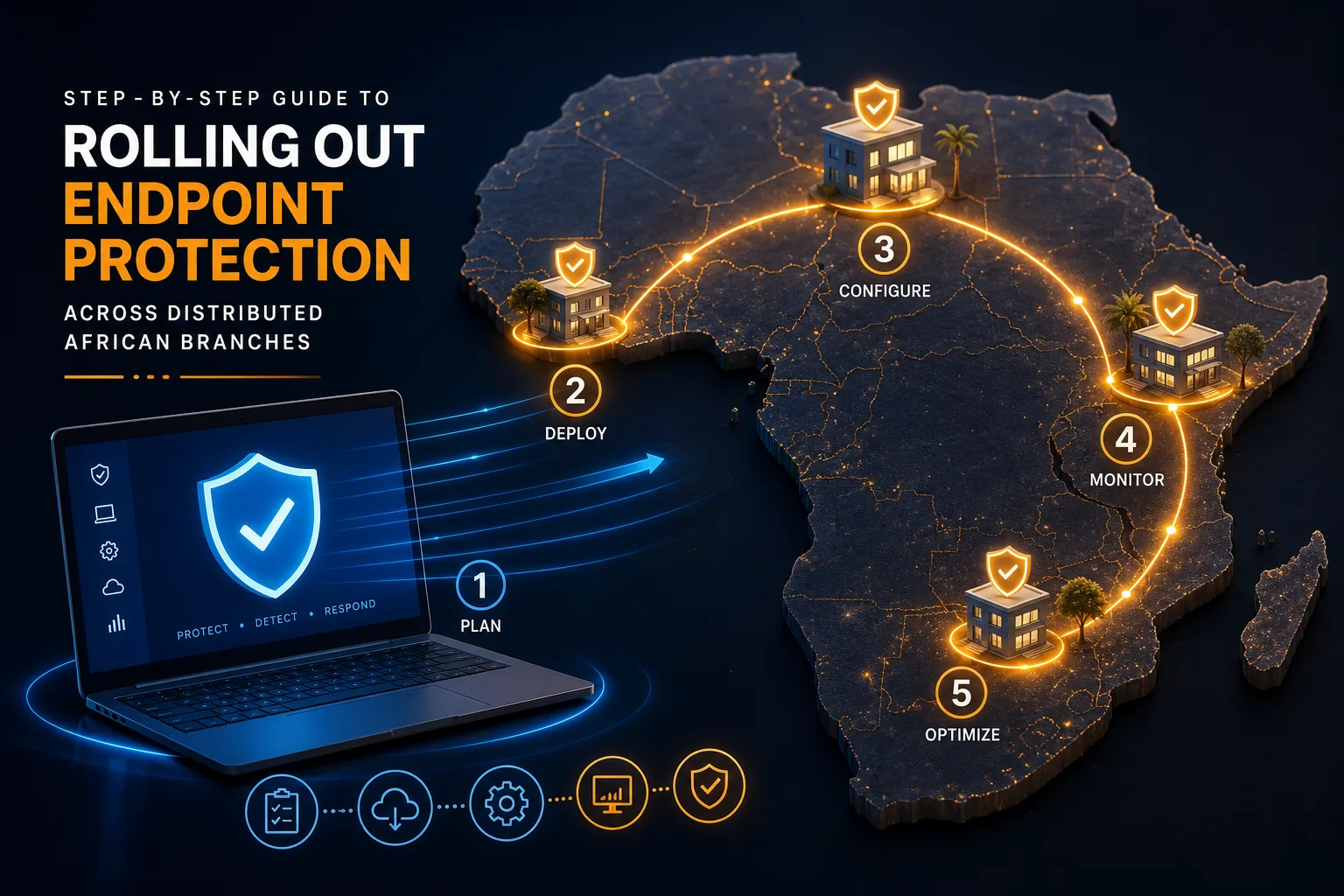
Step by Step Guide to Rolling Out Endpoint Protection Across Distributed African Branches
Learn how to roll out endpoint protection across distributed African branches with phased deployment, policy management, Zero Trust, and incident response.
When you’re in charge of securing dozens of branch offices scattered across Africa, each day brings a new surprise. One morning, a manager in Lagos calls about a missing laptop that holds sensitive data. The next, you’re helping someone in Nairobi get back into their system after a password reset. Internet connections jump from fast to unreliable, and your team can’t just fly out every time an alert pops up.
Meanwhile, attackers don’t care if your branches are remote or if your bandwidth is slow. For African organizations, getting endpoint protection in place—without disrupting operations or overloading local staff—demands more than just buying software. What actually works is a series of practical steps, proven in the field, that help every branch reach the same level of defense, no matter how far apart they are.
How to Plan Your Endpoint Protection Rollout
Rolling out protection starts with a clear plan that fits your real-world structure. Microsoft’s Defender for Endpoint recommends a five-step process: prepare your deployment environment, assign roles and permissions, choose the right deployment method, onboard devices, and turn on the needed security features.
First, map out your branches. Some might run everything in the cloud, others use a mix of cloud and on-premises servers, and a few still depend on local infrastructure. These details matter—they shape how you’ll deploy and manage the solution. It’s also vital to clarify who is responsible for which tasks: who updates policies, who responds to incidents, and who checks reports. This keeps everyone on the same page, even when your security operations center is thousands of miles away from some sites.
The deployment method you pick can make or break the rollout. A branch with patchy internet will need a lighter, hybrid setup, while a downtown office can handle a full cloud deployment. Once you know what fits each location, bring devices onboard in stages—region by region—so no branch gets left behind or swamped. After devices are in, turn on features like web protection and data loss prevention (DLP) to address local risks and business needs.
Start Small: The Value of a Pilot Group
Trying to roll out endpoint protection to every branch at once sounds efficient, but it usually leads to headaches. The smarter move is to start with a pilot group that includes your IT leads and a few business users from a couple of different branches. Begin in report-only mode so new policies don’t accidentally lock anyone out.
Watch for issues: do people lose access to files they need, or do devices fail to update because connections drop? Pay close attention to users who handle sensitive data, like executives and finance staff. If you run into repeated lockouts or confusion, stop and adjust your setup before making the next move.
After the first pilot, shift focus to high-risk groups—admins, finance, and anyone with access to confidential information. For example, you might test on executive devices in Johannesburg before expanding to every field site. This phased rollout lets you fine-tune policies and detection rules in real life, instead of relying just on lab tests.
Setting a Security Baseline That Sticks
Having the same level of security everywhere isn’t negotiable. Start by making a full inventory of every single endpoint—laptops, desktops, tablets, even smartphones if they touch company systems. Next comes patch management; unpatched devices are easy targets for attackers.
Encrypt company devices to protect data if something is lost or stolen. Limit admin rights to only those who truly need them, and follow these rules for every device, whether it’s in the main office or out in the field. If you allow bring-your-own-device (BYOD) or remote work, lay out exactly what’s allowed, what isn’t, and how personal devices are monitored or restricted.
Don’t skip regular security training. Teach users to recognize phishing, use strong passwords, and follow backup and recovery steps. In remote African branches, where IT support is sometimes far away, a user who knows what to do is your best first defense.
Making Zero Trust Work Across Every Branch
Zero Trust has become more than a buzzword. In branches where you can’t physically check devices, it’s essential. Register all endpoints with a cloud identity provider like Azure AD, so you always know which devices are connecting. Only compliant, cloud-managed devices should reach your core business systems.
Apply data loss prevention rules to both company and BYOD devices, especially in places where employees use personal devices for work. Enable endpoint threat detection to flag risky devices—this matters most where connections aren’t always stable.
You might need to adjust some policies for branches with slow or unreliable internet. For example, let those offices cache security updates locally, and time compliance checks for off-hours. The bottom line: only registered, healthy devices get access, and every log-in is tracked for review later.
Managing Policies and Devices from a Distance
Centralized policy management is a game changer when your branches span countries and time zones. Through the Microsoft Defender portal, you can create different policies for each operating system—Windows, macOS, Linux—and assign them to groups based on branch, team, or risk.
If a device in a remote branch isn’t updating, you can trigger a manual sync from the main dashboard. This helps you fix problems quickly, without relying on local IT or waiting for scheduled check-ins. Review your device and policy assignments regularly so new devices in growing branches don’t slip through the cracks.
Remote management also means you can respond fast to new threats. If a fresh exploit targets a certain OS, update the policy centrally and push the fix to every branch in minutes.
Handling Security Incidents at Distant Locations
When a device in a branch is compromised, distance adds pressure. A written incident response playbook is the best way to keep your team focused. Step one: isolate the affected device to prevent the problem from spreading. Next, check access logs and shared files to see what happened.
Keep forensic evidence intact—don’t erase the device right away. Revoke any active sessions and reset credentials if there’s a chance an account was taken over. Keep the user informed; confusion only slows things down.
Once you’re sure you’ve preserved evidence and contained the risk, you can restore or reimage the device. In some African branches, shipping hardware back to headquarters isn’t possible, so your recovery steps should be clear and simple. Practicing these drills in advance makes it much easier for local staff to handle incidents without waiting for central approval.
Strengthening Visibility with Centralized Monitoring
You can’t protect what you can’t see. Connect your endpoint logs and alerts—whether from Defender for Endpoint or another tool—to a central SIEM or XDR. That way, odd activity in a Lusaka branch shows up on the same dashboard as alerts from Accra.
Centralized monitoring lets a regional security center match endpoint events with network or identity anomalies. For example, if someone logs in from two cities just minutes apart, that’s a warning sign. With everything in one place, you can spot patterns and act faster.
Before you enable automatic threat containment, make sure all endpoints are patched and using the baseline policies. Start by turning on automated alerting, then expand to auto-containment for threats you’re confident about.
Keeping Your Branches Secure Over Time
The job isn’t done after the initial rollout. Review how each branch is doing: which policies frustrated users, which detections were false alarms, and where did compliance checks stumble? Use real feedback to refine your policies and update your baseline.
Schedule regular audits to keep every branch aligned as your organization grows and threats change. Keep users involved with ongoing training—try phishing simulations, update password requirements, and recognize staff who follow best practices. Consistency is the aim, not perfection, and that takes steady effort.
Rolling out endpoint protection across distributed African branches is a long-term project. With a phased rollout and strong policies, you can boost security everywhere—without slowing down business or leaving any branch exposed.